

Quick-start guides
How to set a chess clock
You shouldn't have to read a manual to start a game of chess. Find your clock below, open its guide, and set any of the popular time controls in under a minute — every guide links the official manual for the rest.
Which clock do I have?
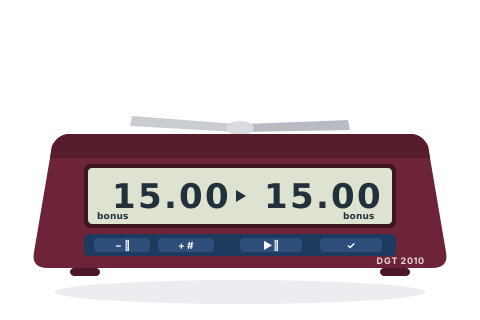 DGT 2010The classic club clockA burgundy wedge with a silver bar-shaped rocker on top, four navy buttons under the display, and the on/off button hidden underneath.Set this clock →
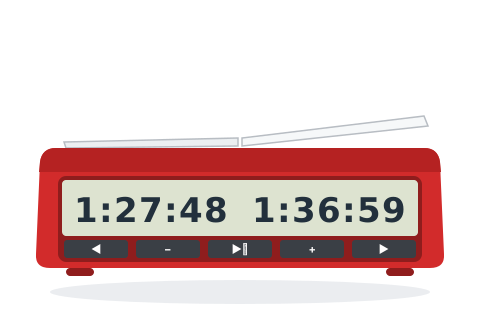 DGT 2500The current FIDE tournament clockA bright red, sharply-angled wedge with a white see-saw lever, one huge full-width display and a row of five identical dark buttons.Set this clock →
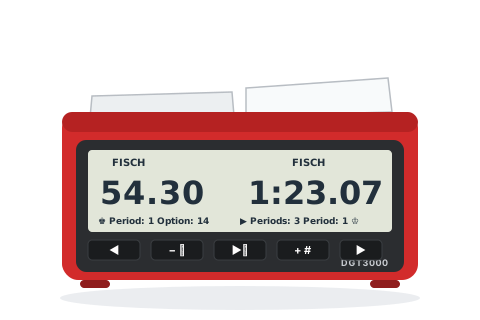 DGT 3000The top DGT, with saved custom controlsA red body with a black front panel, two broad white paddles covering the whole top, and a large display that spells out the timing method ("FISCH") in words.Also sold as DGT 3000 Limited EditionSet this clock →
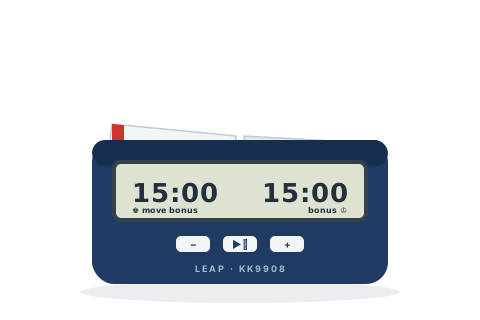 Leap KK9908The £25 clock that's everywhereA compact navy-and-white clock with a see-saw rocker across the whole top, one wide display and three tiny buttons on the front. Often sold unbranded online.Also sold as LEAP FIDE Approved Chess Clock, many unbranded online listingsSet this clock →
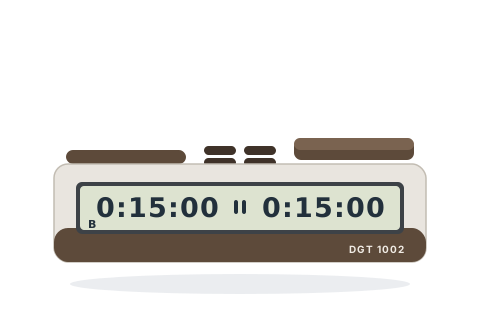 DGT 1002The budget clock with incrementA small flat bar in brown and grey with two large flat pads on top, a small four-button cluster between them, and a single strip display. Shows a letter B when a bonus is set.Also sold as DGT 1002 Bonus TimerSet this clock →
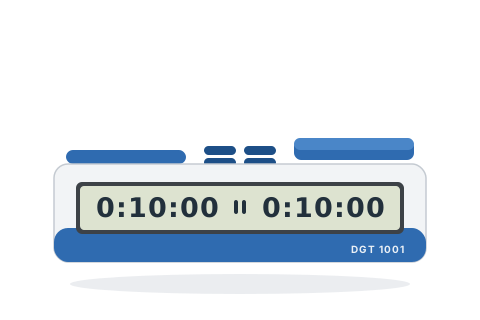 DGT 1001The simplest DGT — schools' favouriteA small flat bar in blue-and-white or black-and-white with two large flat pads on top and a small four-button cluster between them. No B on the display — this one has no bonus.Set this clock →
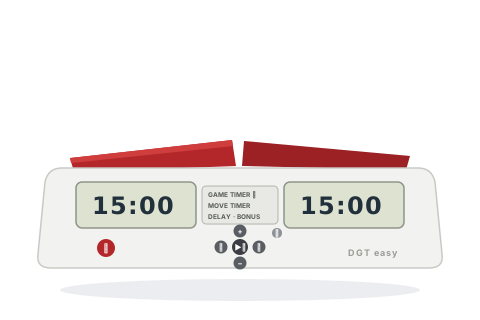 DGT Easy & Easy PlusThe friendly wedge, in every colourA tent-shaped clock whose whole top is two big rocker paddles, with the display and a round cluster of buttons on the sloped face. The Easy Plus adds "Delay" and "Bonus" to the centre panel — that is how you tell them apart.Also sold as DGT easy+, Black Beyond and other colour editionsSet this clock →
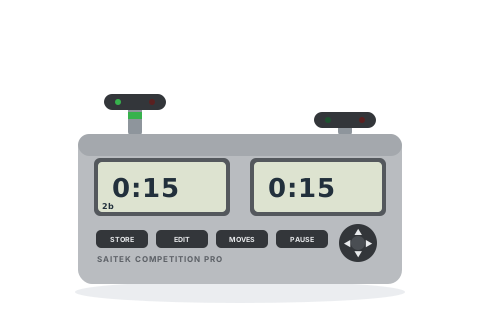 Saitek Competition ProThe 2000s UK club workhorseA squat grey brick with two big linked plungers on top (green banding, red and green lights in each), two displays, four keys and a round four-way pad on the front.Also sold as Mephisto Competition Pro Game ClockSet this clock →
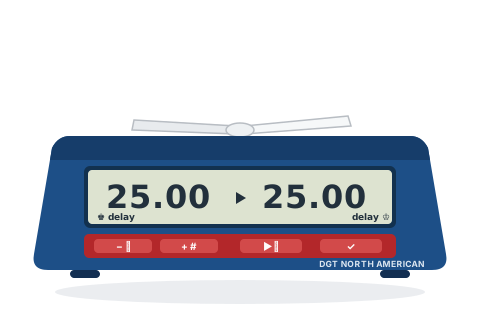 DGT North AmericanThe US tournament DGT, with proper delayRed, white and blue on purpose: a blue wedge, a red strip of four buttons under the display, and a white rocker on top.Set this clock →
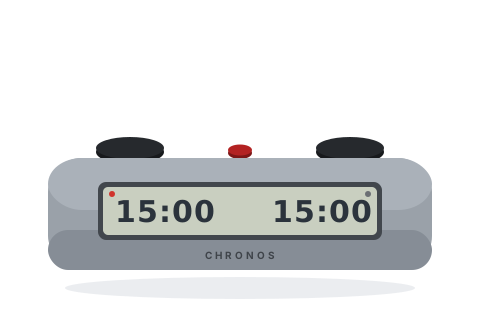 Chronos GXThe compact American cult classicA short rounded aluminium bar — two black dome buttons (or flat touch discs) and a small red button between them, with a grey LCD. About two-thirds the length of the full-size Chronos.Also sold as Chronos FX, Chronos Blitz, Chronos GX TouchSet this clock →
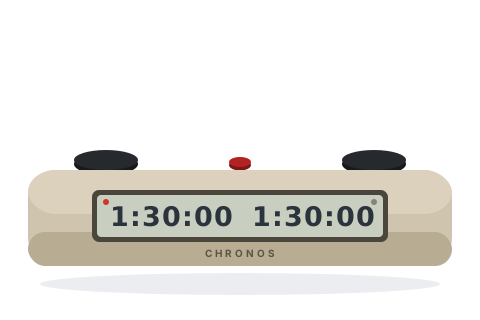 Chronos (full-size)The indestructible US tournament standardA long aluminium bar, like a metal ingot — beige or black — with two black dome buttons (or touch pads) and a small red button in the centre. The mode names look like CH-P1 or AN-1.Also sold as Chronos II, Chronos TouchSet this clock →
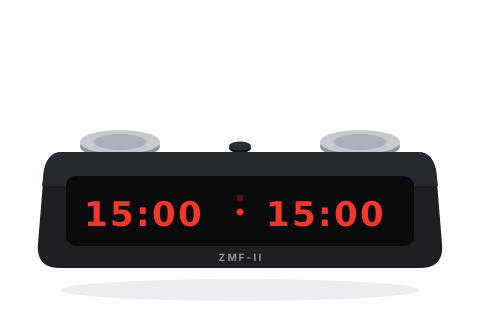 ZMF-IIThe bright-LED blitz favouriteA black rounded case with two round stainless-steel touch discs on top — no moving buttons — and big glowing LED digits in red, blue, green or pink.Also sold as Zmart Fun IISet this clock →
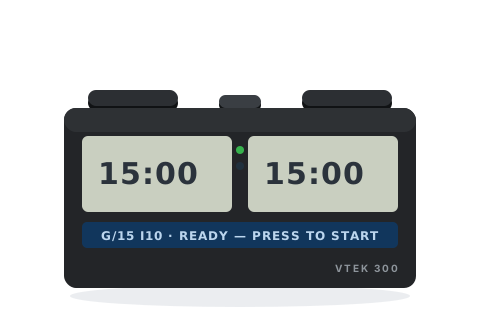 VTEK 300The clock that talks you through itA chunky rectangular slab — black, white or blue — with two separate displays, a text line that spells out menus in full words, and colour-coded status lights.Set this clock →
What “15+10” means
Time controls are written as minutes + seconds: each player starts with the minutes, and the seconds are added to their clock after every move they make. So at 15+10 you start with 15 minutes, and each move you play earns you 10 more seconds. A “+0” control is just the starting time — when it's gone, it's gone.
Increment or delay?
The added-time style above is an increment (also called Fischer or bonus). A delay — common on American clocks — waits the given number of seconds before your clock starts counting down, without ever adding time. British and FIDE events almost always use increment; if your event says “delay”, your clock's guide shows where that mode lives.
The controls clubs actually play
| Control | Speed | Where you'll meet it |
|---|---|---|
| 3+2 | Blitz | Online-style blitz, blitz tournaments |
| 5+0 | Blitz | Traditional five-minute blitz |
| 10+0 | Rapid | Casual quick games |
| 10+5 | Rapid | Junior tournaments, rapid events |
| 15+10 | Rapid | FIDE rapid, many club competitions |
| 25+10 | Rapid | ECF rapidplay congresses |
| 60+30 | Classical | Weekend congresses |
| 90+30 | Classical | FIDE classical, league chess |
Every manual, one place
The quick-start guides cover the settings you'll actually use. For everything else, these are the official manuals — on the manufacturers' own sites wherever they still exist.
| Clock | Quick-start | Manual |
|---|---|---|
| DGT 2010 | Setting guide | DGT 2010 manual (PDF) |
| DGT 2500 | Setting guide | DGT 2500 manual (PDF) |
| DGT 3000 | Setting guide | DGT 3000 manual (PDF) |
| Leap KK9908 | Setting guide | Leap KK9908 manual (PDF) (third-party copy) |
| DGT 1002 | Setting guide | DGT 1002 manual (ZIP) |
| DGT 1001 | Setting guide | DGT 1001 manual (ZIP) |
| DGT Easy & Easy Plus | Setting guide | DGT Easy Plus manual (ZIP) |
| Saitek Competition Pro | Setting guide | Competition Pro manual (PDF) (third-party copy) |
| DGT North American | Setting guide | DGT North American manual (ZIP) |
| Chronos GX | Setting guide | Chronos FX/GX manual (PDF) (third-party copy) |
| Chronos (full-size) | Setting guide | Chronos manual (PDF) (third-party copy) |
| ZMF-II | Setting guide | ZMF-II manual (PDF) |
| VTEK 300 | Setting guide | VTEK 300 user guide (PDF) (third-party copy) |