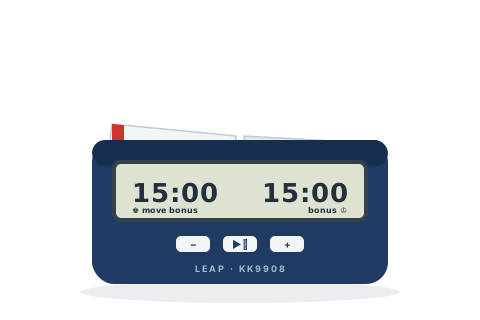
Don't confuse it with LEAP's cheaper PQ-series clocks (often rebadged) — their buttons and menus are different.
Before you start
Slide the ON/OFF switch on the underside — a setting number flashes on the left panel.
Choose a setting with − / +; the right panel previews its times. Press ▶⏸ to select it.
Put the lever up on the side playing White — the coloured end of the rocker shows whose clock is running from across the room.
Press ▶⏸ to start.
Set the popular time controls
Pick the control you are playing and follow the steps — nothing here needs the manual.
15+10
Rapid — 15 minutes + 10 seconds a move
The standard FIDE rapid control, as a built-in preset.
Setting 10
Choose Setting 10 with − / + and press ▶⏸.
Lever up on White's side, then press ▶⏸.
15 minutes each, plus 10 seconds added every move — including move one.
5+0
Blitz — 5 minutes each
Traditional five-minute blitz.
Setting 1
Choose Setting 1 and press ▶⏸.
Lever up on White's side, then press ▶⏸.
Each player has 5 minutes.
3+2
Blitz — 3 minutes + 2 seconds a move
Online-style blitz, as a preset.
Setting 8
Choose Setting 8 and press ▶⏸.
Lever up on White's side, then press ▶⏸.
3 minutes each, plus 2 seconds a move.
90+30
Classical — 90 minutes + 30 seconds a move
The standard long-play control — the manual's own worked example.
Setting 3
Choose Setting 3 and press ▶⏸.
Lever up on White's side, then press ▶⏸.
An hour and a half each, plus 30 seconds a move.
25+10
Rapidplay — 25 minutes + 10 seconds a move
No preset for this one — edit the 20+10 preset, and the clock saves your version.
Setting 11, edited
Choose Setting 11 (20 minutes + 10 seconds).
Hold ▶⏸ for 3 seconds to enter manual setting.
Step through the flashing digits with ▶⏸, changing the minutes to 25 with − / +.
Hold ▶⏸ for 3 seconds to finish — the clock stores your version as Setting 99.
Lever up on White's side, then press ▶⏸.
25 minutes each plus 10 seconds a move — and Setting 99 now holds it permanently for next time.
Handicap
Different times for each player
Odds games — each side can be adjusted separately, even mid-game.
Hold {+} or {−}
Set up any control, and in ready mode hold + for 3 seconds — the right player's time flashes.
Adjust it with − / +, stepping digits with ▶⏸, and press ▶⏸ to return.
Hold − for 3 seconds to adjust the left player the same way, then start.
Each side has its own time. The same trick corrects a mis-set clock during a game.
Tips and troubleshooting
Setting 00 is the free-set mode — up to four periods, each with its own time, move count and bonus. Any preset you alter is kept as Setting 99, so your club control survives switch-off.
The increment maxes out at 59 seconds — for a 60-second increment, use 59 and add a minute to the base time.
Only settings 3–13 add the increment on move one; the add-after settings (30–32) don't — prefer 3–13 for FIDE-style play.
By default the whole clock freezes when someone flags. Hold + for 3 seconds before starting until a small n shows to let the other clock keep running.
A flashing black flag means lost on time; in the multi-period settings a white flag means the move quota was made before the period ended.
It is silent by design — there is no beep to turn off.