Before you start
- Press the centre button to switch on — the menu appears in words on the text line.
- Scroll with the left and right buttons, select with the centre button. To go back, hold the centre button and press the left button once.
- In Ready mode, press the left or right button to choose who moves first — the game starts.
Set the popular time controls
Pick the control you are playing and follow the steps — nothing here needs the manual.
15+10Rapid — 15 minutes + 10 seconds a move
A built-in preset — the clock lists controls in tournament notation.
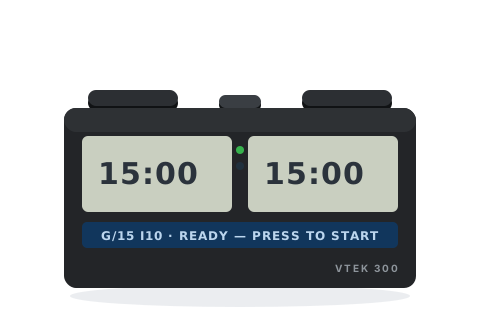
Global List → G/15 I10
- Select Time Controls, then Global List, then the Short folder.
- Scroll to G/15 I10 and select it.
- Press the left or right button to start.
15 minutes each plus a 10-second increment.
5+0Blitz — 5 minutes each
Straight blitz from the Blitz folder.
Global List → G/5
- Select Time Controls → Global List → Blitz.
- Scroll to G/5 and select it.
- Press the left or right button to start.
Each player has 5 minutes.
3+2Blitz — 3 minutes + 2 seconds a move
Online-style blitz, built in.
Global List → G/3 I2
- Select Time Controls → Global List → Blitz.
- Scroll to G/3 I2 and select it.
- Press the left or right button to start.
3 minutes each plus 2 seconds a move.
90+30Classical — 90 minutes + 30 seconds a move
The standard long-play control, built in.
Global List → G/90 I30
- Select Time Controls → Global List → Long.
- Scroll to G/90 I30 and select it.
- Press the left or right button to start.
90 minutes each plus 30 seconds a move.
CustomAnything else — the clock asks you questions
25+10, multi-period controls, delay — answer the wizard in plain words.
Time Controls → Create New
- Select Time Controls → Create New.
- Answer the questions on the text line — phases, minutes, increment or delay and how much. Hold a button to step values by ten.
- Choose Save to add it to your Favourites, then Play.
Your control, saved in Favourites (20 slots — protected ones pin to the top).
HandicapDifferent times for each player
Odds games, via the tournament-director mode.
TD mode
- Load any control, and before starting hold the centre button until the lights turn blue.
- Add or subtract time for each player independently, then hold the centre button to commit.
- Press the left or right button to start.
Each side has its own adjusted time.
Tips and troubleshooting
- Switching off is hold the centre button and press the right button three times; reset is the same with the left button.
- The status lights are a language: green running, red paused, blue TD mode, yellow FIDE mode armed, cyan US Chess mode armed.
- In FIDE play mode the increment is granted for move one; in US Chess mode it is not — pick the mode in Preferences to match your event.
- Set the time format to show tenths under 1 minute — otherwise a player can show 0:00 while not actually flagged.
- Last Game replays exactly how the previous game ended — flag moment included — and can resurrect a game someone reset by mistake.
- Quick start: hold the centre button and press left or right at power-on to jump straight to the last-played control.