Produced in occasional batches; often out of stock. The maker, DCI, has no website; the manual survives thanks to retailers.
Before you start
Turn on by holding both play buttons and pressing the small red centre button — the display shows CH-F1 CH-F2. (The red button alone loads your saved presets instead.)
Short-press the red button to step through mode pairs; press the left or right play button to pick the mode shown on that side.
Long-press the red button (it double-beeps) to open set mode: the play buttons change the flashing digit — each side sets its own side — a short red press moves on, a long press exits.
Press your play button to start your opponent's clock.
Set the popular time controls
Pick the control you are playing and follow the steps — nothing here needs the manual.
15+10
Rapid — 15 minutes + 10 seconds a move
Increment on the full-size Chronos lives in the "progressive" CH-P modes.
Mode CH-P5
Turn on with both play buttons held; short-press red until CH-P5 shows, and select it.
Long-press the red button until the digits flash.
Set the base time to 15:00 on each side.
Short-press red and set the secondary time — the increment — to 0:10.
Keep short-pressing through the options (beep, LED and so on) to COPY to 0 — set a number 1–12 to save it — then long-press to exit.
15 minutes each plus 10 seconds a move. The Chronos does not add the increment for move one.
5+0
Blitz — 5 minutes each
The factory default — zero setup.
Preset 1 (CH-F1)
Turn on with just the red centre button — 5:00 is already loaded.
Press a play button to start.
Each player has 5 minutes.
3+2
Blitz — 3 minutes + 2 seconds a move
The blitz-sized progressive mode.
Mode CH-P4
Select CH-P4 from the all-modes bank.
Long-press red; set the base to 3:00 each side.
Short-press and set the secondary time to 0:02; exit with a long press.
3 minutes each plus 2 seconds a move.
90+30
Classical — 90 minutes + 30 seconds a move
The same CH-P5 flow with bigger numbers.
Mode CH-P5
Select CH-P5 and long-press red for set mode.
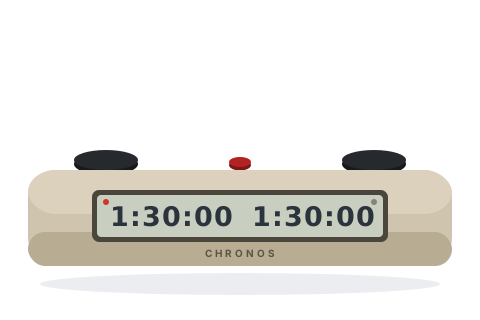
Set the base to 1:30:00 each side (US arbiters often key 1:30:30 to make up for the missing move-one increment).
Set the secondary time to 0:30, save via COPY to, and exit.
90 minutes each plus 30 seconds a move from move two.
Handicap
Different times for each player
Odds games — set mode edits each side independently.
Any mode
Open set mode with a long red press.
The left play button sets the left digits, the right sets the right — key in different values.
Exit with a long red press.
Each side has its own time.
Tips and troubleshooting
Short press versus long press is the whole interface: a long press has registered when the clock gives two quick beeps.
Turning it off: hold the red button and press either play button five times. It also powers down after four hours idle.
The twelve saved presets survive battery removal — set your club's controls once, then power on with just the red button.
Tournament modes need the red button pressed four extra times to reset — an intentional guard. Blitz modes need one.
For US-style delay use the AN modes (delay counts down visibly) or DL-SD (flashing dashes); AD modes are Bronstein.
In move-counter modes White's clock must run first — Black presses their button to start the game.