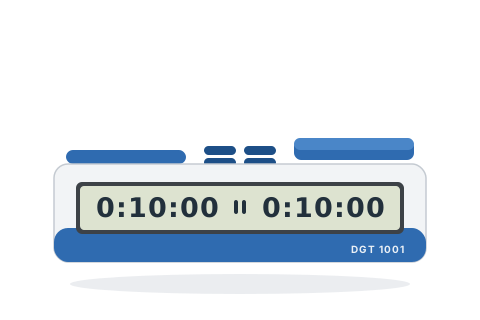
Press ⏻ on top — the display shows the last-used time, paused.
Set the time with + / − (hold for fast stepping). Both players always get the same time.
Press ▶⏸ to start — or press your pad to start your opponent's clock.
Set the popular time controls
Pick the control you are playing and follow the steps — nothing here needs the manual.
10+0
Rapid — 10 minutes each
The everyday quick game.
Press + until the display shows 0:10:00.
Press ▶⏸ to start.
Each player has 10 minutes for all their moves.
5+0
Blitz — 5 minutes each
Traditional five-minute blitz.
Set the display to 0:05:00 with + / −.
Press ▶⏸ to start.
Each player has 5 minutes.
15+0
Rapid — 15 minutes each
A relaxed casual game.
Set the display to 0:15:00 (1-minute steps above 10 minutes).
Press ▶⏸ to start.
Each player has 15 minutes.
25+0
Rapidplay — 25 minutes each
A full rapidplay game without increment.
Set the display to 0:25:00.
Press ▶⏸ to start.
Each player has 25 minutes.
Tips and troubleshooting
The clock remembers its last time — for a rematch just switch it off and on and press ▶⏸.
There is no increment on this clock — its sibling the DGT 1002 adds exactly that for a few pounds more.
The first player to run out gets a flag and their display counts up, so you can see how long ago they flagged. The second player to run out shows no flag — the flag always identifies the loser on time.
Set 0:00:00 and the clock counts up from zero — handy for Scrabble and casual untimed play.
Hold ⏻ for 2 seconds *while switching on* to toggle the beeps.
Pause any time with ▶⏸; hold ⏻ for 1 second to switch off.