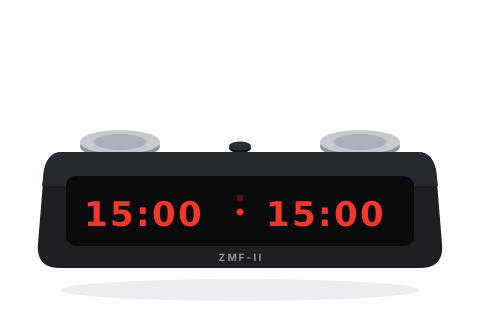
Before you start
- Switch on with the slide switch on the underside.
- Press the small menu button once to stop, then hold it about 5 seconds until the display flashes — you are in the menu.
- Touch either steel disc to move through the menu; press the menu button to accept.
- When the display shows PLAY ----, press the menu button — then Black touches their disc to start White's clock.
Set the popular time controls
Pick the control you are playing and follow the steps — nothing here needs the manual.
15+10Rapid — 15 minutes + 10 seconds a move
The standard rapid control.
MM:SS + INC
- In the menu, go to MM:SS and set 15:00 for each side (tap a disc for one step, hold for fast).
- Go to INC and set 10; check DEL is 00.
- Continue to PLAY ---- and press the menu button.
15 minutes each, plus 10 seconds a move — added at the start of the move, so move one gets its increment too.
5+0Blitz — 5 minutes each
Straight blitz — make sure nothing is left over from the last game.
MM:SS
- Set MM:SS to 05:00 each side.
- Check INC and DEL are both 00.
- Continue to PLAY ---- and press the menu button.
Each player has 5 minutes, nothing added.
3+2Blitz — 3 minutes + 2 seconds a move
Online-style blitz.
MM:SS + INC
- Set MM:SS to 03:00 each side.
- Set INC to 2 and DEL to 0.
- Continue to PLAY ---- and press the menu button.
3 minutes each plus 2 seconds a move.
25+10Rapidplay — 25 minutes + 10 seconds a move
The usual ECF rapidplay congress control.
MM:SS + INC
- Set MM:SS to 25:00 each side.
- Set INC to 10 and DEL to 0.
- Continue to PLAY ---- and press the menu button.
25 minutes each plus 10 seconds a move.
90+30Classical — 90 minutes + 30 seconds a move
Long controls use the hours screen instead of the minutes one.
HH:MM + INC
- Set HH:MM to 01:30 each side (leave MM:SS at zero).
- Set INC to 30 and DEL to 0.
- Continue to PLAY ---- and press the menu button.
90 minutes each plus 30 seconds a move, including move one.
HandicapDifferent times for each player
Odds games — the two sides are set independently.
MM:SS / HH:MM
- In the time screens, the left digits and right digits are set separately — give each side its own time.
- Set any increment or delay, continue to PLAY ----, and press the menu button.
Each side has its own time.
Tips and troubleshooting
- If the clock seems to press itself or the digits dim, change the batteries — weak batteries confuse the touch sensors. Alkaline C cells only.
- One press of the menu button pauses; a double-click resets the game — mind the difference.
- FIDE ON in the menu freezes both clocks at the first flag-fall; turn it off for casual play so both times stay readable.
- If a setting seems haunted, some leftover option is non-zero — walk the menu and zero DEL, INC, and the special modes.
- The increment is added at the start of the move (so move one gets it). Later firmware can switch to add-after with INC– POST.
- All settings save automatically — next game is switch on, double-click, play.